Custom Software for Multi-Branch Operations in Qatar: How to Standardise Without Losing Flexibility
Custom Software for Multi-Branch Operations in Qatar: How to Standardise Without Losing Flexibility
Growth exposes the limits of one shared spreadsheet
A process that works for one branch can become difficult to control across several locations. Teams create local spreadsheets, use different approval steps and report the same measure in different ways. Head office sees a delay but not the cause. Branch managers feel that a central system does not understand the work on the ground.
Custom software for multi-branch operations in Qatar can provide a shared workflow without forcing every location into an identical daily routine. The strongest designs standardise the controls that management needs and leave room for legitimate local differences.
Separate the common rules from local variation
Map the process across branches and mark each step as common, configurable or genuinely local. Customer records, approval limits, audit history and management reporting may need one shared rule. Delivery zones, opening hours, staffing patterns or supplier choices may need branch-level settings.
Do not customise every preference immediately. A difference may be a useful local practice, a temporary workaround or a control gap. Ask what outcome the branch needs and whether a parameter, role or workflow option can solve it without creating a separate code path.
Build one source of operational truth
Decide which records must be shared and which belong to a branch. Define identifiers for customers, products, assets, jobs and locations. If a customer works with more than one branch, staff should know whether to use one group record or separate operational accounts. Clear ownership prevents duplicates and conflicting reports.
Connect the application to ERP, CRM, payments, websites or other systems only where the connection improves a decision. Use validation at each boundary. Show failed synchronisations in an exception queue with an owner. A custom application should reduce reconciliation work, not move it into another hidden screen.
Design permissions for real responsibility
Branch staff need enough access to complete their work, while central teams need visibility across the network. Use role and location-based permissions. Make sensitive actions such as refunds, price overrides, stock adjustments and supplier changes traceable and subject to the right approval threshold.
Keep the interface simple for frontline users. A mobile-friendly task flow, clear status and useful defaults often matter more than a large dashboard. Test the design with the people who handle exceptions during a busy shift, not only with managers in a meeting room.
Roll out with a measurable pilot
Choose one branch or workflow with a visible cost, such as service requests, stock transfers, inspections or approval delays. Define the baseline and success measures before development. Measure completion time, rework, missing information, escalation volume and user adoption.
Use the pilot to test training, support, data quality and integration. Keep a decision log for requested changes. Some changes belong in the product roadmap; others need a policy decision or a local configuration. This discipline keeps the system useful without allowing scope to expand without evidence.
Plan the operating model after launch
Assign owners for workflows, master data, access and support. Review performance by branch and investigate differences without assuming that the best-looking number tells the whole story. Schedule security reviews, backups, release testing and user feedback as part of normal operations.
TFSBS develops custom applications, system integrations and web or mobile workflows for Qatar and GCC businesses. Talk to TFSBS when multi-branch growth is creating manual handovers that standard software cannot handle cleanly.
Budget for support and improvement, not only the initial build. A workflow that becomes central to branch operations needs monitored availability, secure updates and a clear route for reporting issues. Small improvements based on evidence protect adoption.
Keep branch leaders involved after rollout. Their feedback can reveal a new exception, an unclear permission or a useful local practice that should become a controlled configuration. This keeps standardisation connected to the work it is meant to improve.
Document the agreed workflow in a short operating guide. Show the trigger, responsible role, expected status and escalation path. This makes the new process easier to train, audit and improve when the business adds another team, service or location.
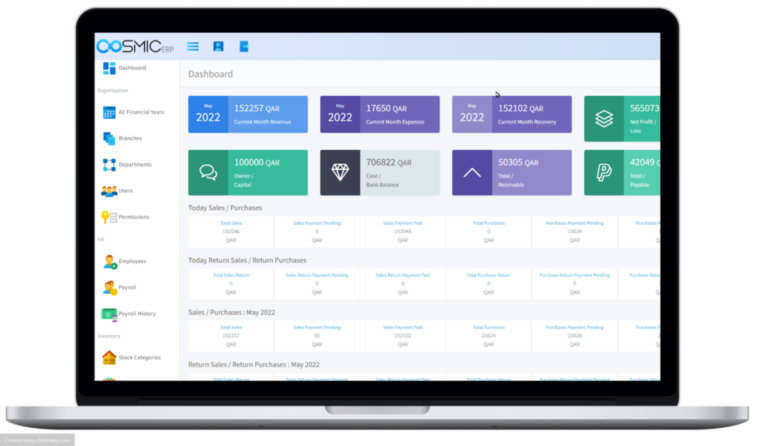
Image plan: Hero—multi-branch operations manager viewing a central dashboard; supporting—frontline worker using a mobile workflow; supporting—team mapping branch processes. Use commercial stock photography with clear operational alt text.